
Cold Email Software Pricing: How Much Does Cold Outreach Really Cost in 2026?
A practical breakdown of pricing models, hidden costs and total cost of ownership.
How much does cold email software actually cost? The advertised subscription — often somewhere between a low-cost starter plan and a few hundred dollars a month for teams — is only one line in the budget. The rest of the outbound stack sits underneath it.
To send cold email at any real volume you also need sending mailboxes, sending domains, domain authentication (SPF, DKIM and DMARC), lead data, email verification, warmup, extra users as the team grows, extra sending accounts as volume grows, credits on whichever services meter them, and the infrastructure that keeps all of it running. Each of those has a price, and most of them recur.
That is why the cheapest-looking tool is rarely the cheapest outbound system. A $29 plan that caps you at two mailboxes and forces you to buy warmup, verification and a separate inbox tool can easily cost more per month than a single platform at $79.
This guide breaks down cold email software pricing models, what is normally included, the costs buyers forget, and how to calculate the number that actually matters: total cost of ownership. MunchReach is an all-in-one cold outreach platform, and we use it as a worked example later — but the framework applies whichever tool you choose.
Quick Answer: How Much Does Cold Email Software Cost?
Cold email software pricing generally starts with low-cost entry plans aimed at a single founder or freelancer and rises to team and agency tiers that unlock more mailboxes, contacts, seats and sending volume. Two platforms with identical headline prices can differ enormously once you compare what those prices actually cover.
The more useful way to think about it is as four separate buckets:
- Software cost — the campaign platform itself: sequences, scheduling, sending controls, inbox, analytics.
- Sending infrastructure — mailboxes, sending domains, DNS/authentication setup, and any provider fees.
- Lead and data cost — sourcing, enriching or buying the contacts you email.
- Supporting tools — verification, warmup where it is not bundled, CRM syncing, reporting.
Add those together before you compare vendors. A platform that bundles warmup, a unified inbox and multiple sending accounts into one subscription may be cheaper overall than a lower-priced tool that meters each of them separately. Compare total cost of ownership, not the monthly subscription in the pricing table.
TL;DR: Where the Money Goes
| Cost | What it covers | Usually recurring? |
|---|---|---|
| Cold email software | Campaigns, sequences, scheduling, sending controls, inbox, analytics | Yes — monthly or annual (some vendors offer one-time plans) |
| Email accounts | The mailboxes that actually send your campaigns | Yes — per mailbox, per month |
| Sending domains | Dedicated outreach domains kept separate from your main domain | Yes — annual registration, plus DNS |
| Email verification | Checking addresses before you send to reduce bounces | Yes — usually per-credit |
| Lead data | Contact sourcing, enrichment, list building | Yes — subscription or per-record |
| Warmup | Gradual sending ramp-up and engagement on new mailboxes | Sometimes bundled, sometimes a separate service |
| Additional users | Extra seats for teammates or clients | Yes — per seat on most platforms |
| Additional sending capacity | More mailboxes, higher monthly send limits, extra credits | Yes — grows with volume |
Cold Email Software Pricing Models Explained
Almost every vendor uses one of six models, sometimes in combination. Understanding which one you are buying tells you where your bill will grow.
Per-user pricing
You pay for each person with a login. Simple to forecast when headcount is stable, expensive when you add SDRs or want clients to have read-only access. Watch for platforms that also charge per mailbox on top.
Per-workspace pricing
One price covers a workspace and everyone in it. Good for agencies and teams that want shared visibility without seat maths. The limits then usually move to mailboxes, contacts or sending volume instead.
Per-email pricing
You buy a monthly sending allowance. Predictable if your volume is steady, awkward if campaigns are bursty — a single large launch can push you into an upgrade you only need for one month.
Per-contact pricing
Priced on stored contacts rather than emails sent. Fine for focused, high-intent lists; costly if you keep large archives of leads you no longer email. Check whether unsubscribed and bounced records still count.
Credit-based pricing
Credits are consumed by sends, verifications, enrichment or AI features. Flexible, but hard to budget until you have a month of real usage, and credits often expire.
Flat-rate pricing
A fixed monthly or one-time fee for a defined set of limits. Easiest to plan around; the risk is hitting a ceiling and having to jump a whole tier.
| Model | Advantage | Disadvantage | Best for |
|---|---|---|---|
| Per-user | Clear cost per person | Scales badly with headcount | Small, stable teams |
| Per-workspace | Unlimited collaborators | Limits move elsewhere | Agencies, shared teams |
| Per-email | Matches actual sending | Bursty campaigns overshoot | Steady volume senders |
| Per-contact | Rewards focused lists | Large databases get costly | Targeted outbound |
| Credit-based | Pay for what you use | Hard to forecast; credits expire | Mixed or experimental usage |
| Flat-rate | Fully predictable | Hard ceilings between tiers | Founders and small teams |
What Does Cold Email Software Usually Include?
Feature sets vary far more than pricing pages suggest. These are the capabilities worth checking line by line:
- Campaign builder — creating and organising outbound campaigns without spreadsheets.
- Automated sequences — multi-step outreach with conditional timing.
- Follow-ups — automatic follow-ups that stop when someone replies.
- Scheduling — sending windows, time zones and working days.
- Sending account management — connecting and monitoring the mailboxes that send.
- Sending limits — daily and hourly caps per mailbox and per campaign.
- Reply tracking — detecting replies and pausing sequences automatically.
- Analytics — delivery, open, reply and positive-reply reporting per campaign.
- Contact management — importing, segmenting and updating leads.
- Suppression and unsubscribe — honouring opt-outs across every campaign.
- Bounce handling — pulling invalid addresses out of the sending pool.
- Warmup — gradual ramp-up for new mailboxes.
- Team features — workspaces, roles and shared visibility.
- Integrations and API — moving data into your CRM and internal systems.
Two tools at the same price can differ on half this list. That difference is what you are really buying.
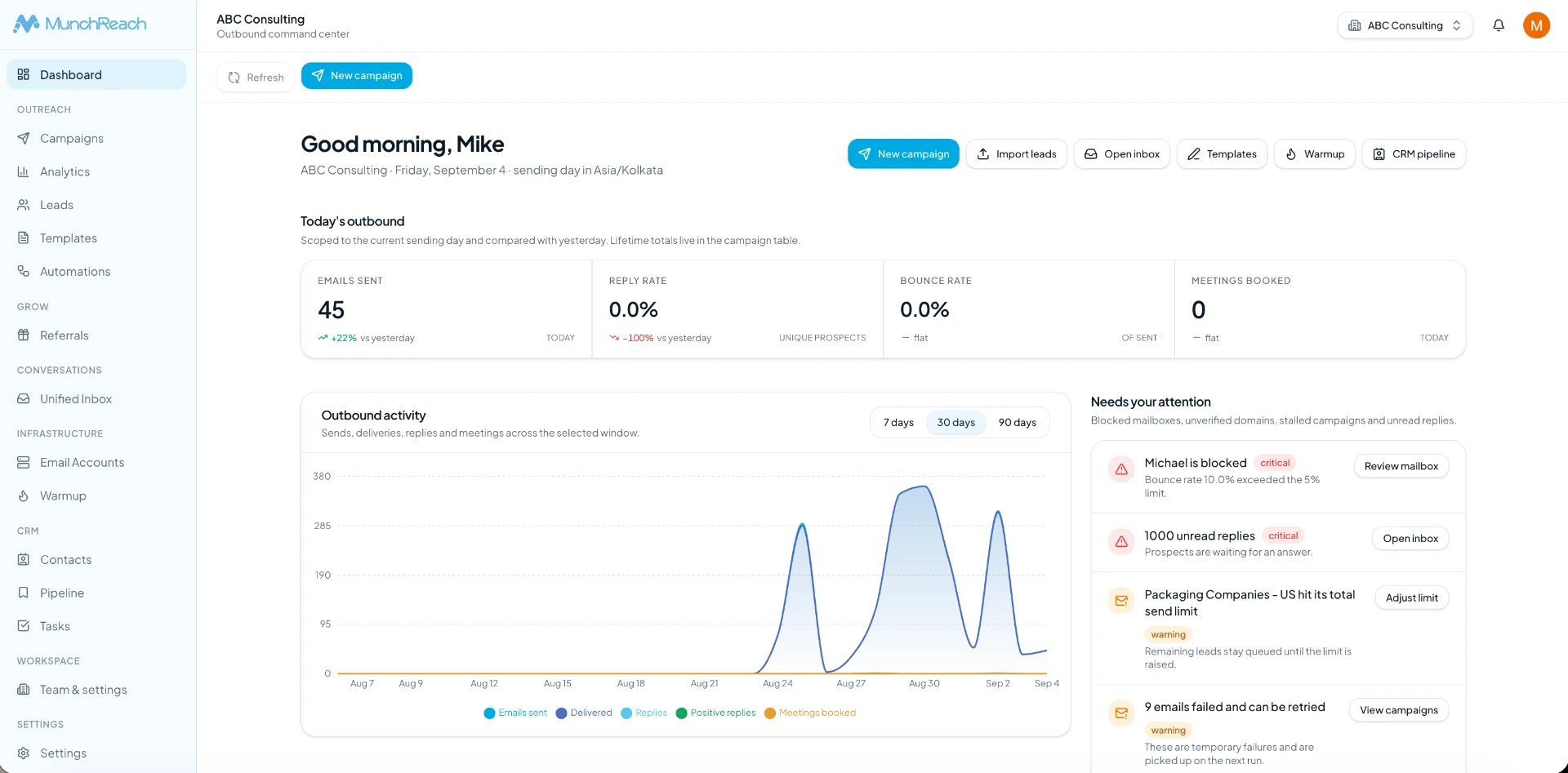
The Hidden Costs of Cold Email
This is where budgets slip. The software line is visible; the rest is not.
Sending mailboxes
In most setups the campaign platform and the mailboxes are separate purchases. You pay a provider for each sending account, and outbound teams typically run several so no single mailbox carries the full volume. Ten mailboxes at a few dollars each is a real monthly line item — often comparable to the software itself.
Sending domains
Teams generally register dedicated outreach domains rather than sending campaigns from their primary business domain, so reputation problems on cold traffic do not affect everyday company email. Domains are cheap individually, but each one needs registration, DNS records and authentication set up correctly.
Lead data
Targeted contact data is frequently the largest recurring cost in outbound, whether you buy a data subscription, pay per enriched record, or pay someone to build lists. Cheap data is rarely cheap once you account for bounces and irrelevant recipients.
Email verification
Verifying addresses before you send reduces the number of invalid recipients in a campaign, which protects both your sending reputation and your reporting accuracy. Most verification services meter per address.
Warmup
Some platforms include warmup; others expect you to subscribe to a separate warmup service per mailbox. That distinction can change the total by a meaningful amount once you run ten or more accounts.
Additional users
Seat-based pricing means the second and third SDR cost as much as the first. If clients or managers need visibility, check whether read-only access is free.
Scaling
A $30–$50 plan is genuinely affordable at the start. Add five more mailboxes, two teammates, a larger contact database and a higher monthly send limit, and the same platform can sit at several times that price. Model the plan you will need in twelve months, not the one you need this week.
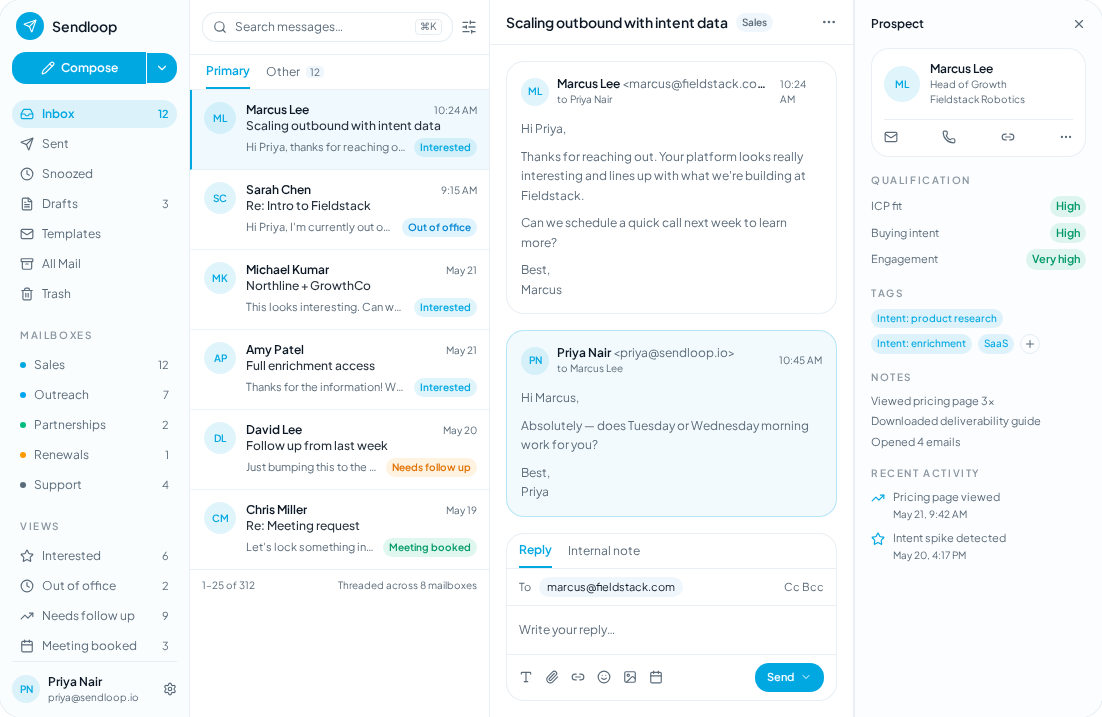
Example: What Does a Cold Email Campaign Really Cost?
These are illustrative figures only. They are not MunchReach pricing and they are not quotes from any specific vendor — they exist to show the shape of a budget. Your own numbers will differ by provider, region and data source.
| Line item | Starter setup | Growing setup | Agency / high volume |
|---|---|---|---|
| Cold email software | Entry plan | Team plan | Agency plan or multiple workspaces |
| Sending mailboxes | 2–3 | 8–12 | 25+ |
| Sending domains | 1–2 | 3–5 | 10+ |
| Email verification | Occasional credits | Monthly credits | Continuous, high volume |
| Lead data | Manual or light | Data subscription | Multiple data sources |
| Users | 1 | 2–4 | 5+ plus client access |
| Where the budget concentrates | Software | Mailboxes and data | Data, mailboxes and seats |
The pattern holds almost universally: at small scale the software dominates the bill, and as you grow, infrastructure and data overtake it. That is exactly why comparing subscriptions alone misleads you.
How MunchReach Simplifies Cold Outreach
MunchReach is built as a single workspace for outbound rather than a sequencing tool you bolt other services onto. In practice that means the following capabilities live in one platform:
- Campaign management — build, launch and monitor outbound campaigns in one place.
- Multi-step sequences and automated follow-ups — follow-ups run on schedule and stop when a prospect replies.
- Email account management — connect multiple sending accounts and manage them centrally.
- Scheduling and sending controls — sending windows, time zones, daily and hourly limits per mailbox.
- Unified Inbox — every reply across every mailbox in one thread view.
- Warmup — ramp new mailboxes up gradually inside the same platform.
- Lead management — import, segment and update contacts, with suppression handled across campaigns.
- Campaign analytics — delivery, reply and positive-reply reporting per campaign.
- Workspace and team management — shared workspaces for teams and agencies running outbound for several clients.
The value of an all-in-one platform is not magic pricing — it is fewer disconnected tools to buy, connect, learn and reconcile. Sequences, mailboxes, replies, warmup and reporting sharing one data model removes a category of integration work and a category of subscriptions.
To be clear about what it does not do: MunchReach does not remove every third-party cost. You still need mailboxes and domains from a provider, and you still need lead data from wherever you source it. No platform can guarantee inbox placement, reply rates or meetings, and any vendor that promises those things is selling something other than software. What a platform can do is give you the controls — sending limits, warmup, suppression, reply handling and analytics — that make good deliverability practice possible.
Pricing for each plan, including limits on contacts, monthly emails and connected mailboxes, is published on the MunchReach pricing page, and there is a one-time lifetime plan for teams that prefer a fixed cost over a subscription.
Monthly vs Annual vs Lifetime vs Usage-Based
| Monthly SaaS | Annual SaaS | Lifetime deal | Usage-based | |
|---|---|---|---|---|
| Upfront cost | Low | Higher (year paid at once) | Highest single payment | Low |
| Recurring cost | Every month | Every year, usually discounted | None for the software | Varies with usage |
| Flexibility | Cancel any month | Locked for the term | Locked to the plan's limits | Highest |
| Scaling | Upgrade any time | Upgrade mid-term, usually pro-rated | Capped by the deal | Scales automatically |
| Feature updates | Included | Included | Depends on the vendor's terms | Included |
| Best for | Teams testing or changing volume | Committed, steady programmes | Predictable small-team volume | Bursty or seasonal sending |
None of these is automatically better. Annual saves money if you are certain about the next twelve months. Monthly buys optionality. A lifetime plan suits steady volume that sits comfortably inside its limits. Usage-based fits campaigns that spike and go quiet.
What to Check When Comparing Prices
Take this list to every pricing page and fill in the blanks before you compare totals:
- Number of sending accounts included, and cost per additional account
- Number of campaigns you can run at once
- Monthly sending limit, and what happens when you exceed it
- Number of stored leads or contacts
- Number of users, and whether read-only seats are free
- Number of workspaces (critical for agencies)
- Whether warmup is included or billed separately
- Reply management — is there a shared inbox, or only notifications?
- Analytics depth: per campaign, per step, per mailbox
- Integrations with your CRM and the tools you already run
- API access and whether it sits behind a higher tier
- Support: channel, hours, and response expectations
- Data export — can you leave with your contacts and history?
- Additional charges: credits, overages, onboarding fees
Cheap vs Expensive Cold Email Software
Price alone is a weak buying criterion in both directions. An expensive platform is not automatically better, and an inexpensive one is not automatically a false economy — it depends entirely on whether the limits match your operation.
Lower-priced tools typically provide basic sequences, a small number of connected accounts, limited analytics and fewer integrations. For a founder sending a few hundred emails a month to a tight list, that can be completely sufficient.
Higher-priced platforms typically add more sending accounts, team and workspace management, deeper analytics, more automation, larger sending capacity and finer sending controls. Those matter once several people share the pipeline and volume climbs.
The right question is not "which is cheaper" but "which one still fits in twelve months". Migrating an outbound programme mid-quarter — reconnecting mailboxes, rebuilding sequences, re-warming accounts — costs more than the subscription difference usually saves.
Pros and Cons of Low-Cost Cold Email Software
Pros
- Lower initial cost, so outbound can start without a budget approval cycle
- Easy to test the channel before committing
- Well suited to solo founders and freelancers
- Perfectly adequate for small, focused campaigns
Cons
- Limits on mailboxes, contacts or sends can appear within weeks
- Advanced controls — warmup, granular sending rules, workspace management — are often missing
- Scaling can become expensive as add-ons stack up
- Additional tools are frequently required, which reintroduces the cost you thought you avoided
Final Verdict: What Should You Budget for Cold Email Software?
Budget for the whole outbound stack, not the subscription. Realistic cold email software pricing planning means adding the platform, the mailboxes, the domains, verification, lead data and any extra seats, then dividing that by the replies or meetings you expect. That number is the one that tells you whether outbound is working economically.
Do the arithmetic over two to three years, not one month. Include the plan you will need after you grow, and include the cost of switching if the tool you pick cannot get you there.
For teams that would rather run campaigns, sending accounts, inbox management, warmup, lead management and analytics inside one platform than assemble and pay for five, MunchReach is worth a look — with published limits on every plan so you can do the maths honestly before you buy.
Explore MunchReach and see how it fits your outbound workflow.
Frequently Asked Questions
How much does cold email software cost?
Cold email software pricing ranges from inexpensive starter plans for a single sender to higher team and agency tiers that include more mailboxes, contacts, seats and monthly sending volume. The subscription is only part of the cost: mailboxes, sending domains, verification and lead data are usually billed separately. Compare the total monthly outlay for the setup you actually need — the number of mailboxes, the volume and the number of users — rather than the lowest advertised price on each vendor's pricing page.
What is included in cold email software pricing?
Most platforms include a campaign builder, multi-step sequences, automated follow-ups, scheduling, sending limits, reply tracking, contact management, suppression and unsubscribe handling, and campaign analytics. Beyond that, coverage varies widely. Warmup, a unified inbox for replies, multiple workspaces, API access and integrations are included on some plans and sold as upgrades on others. Read the plan comparison table rather than the marketing page, and confirm the specific limits attached to your tier.
Is cold email software worth paying for?
If you send more than a handful of outbound emails a month, yes. Manual sending offers no follow-up automation, no reply detection, no suppression list, no sending limits and no reporting — which means wasted time and avoidable deliverability risk. Software pays for itself mainly through automated follow-ups and centralised reply handling. For very small, highly personal outreach to a short list, a mailbox and a spreadsheet can still be reasonable.
What are the hidden costs of cold email?
The common ones are sending mailboxes, dedicated sending domains, email verification credits, lead data, warmup where it is not bundled, extra user seats, and overage charges when you pass a sending or contact limit. Lead data is frequently the largest recurring line for teams at scale. Before committing, list every service your outbound programme touches and total them — the software subscription is often less than half.
Is monthly or annual cold email software cheaper?
Annual plans are usually discounted against paying month to month, so they are cheaper if you are confident you will use the platform for the full term. Monthly costs more per month but lets you stop or switch at any time, which is worth paying for while you are still testing the channel or the tool. Some vendors also offer one-time lifetime plans, which suit steady volume that fits inside the plan's fixed limits.
What does MunchReach include?
MunchReach covers campaign management, multi-step sequences with automated follow-ups, email account management for multiple sending accounts, scheduling and sending controls, warmup, lead management, a unified inbox for replies, campaign analytics, and workspace and team management. Plan limits — stored contacts, monthly emails and connected email accounts — are published on the pricing page, alongside a one-time lifetime plan. You still supply your own mailboxes, domains and lead data.
Ready to improve your cold email campaigns?
Set up your domain, warm your mailboxes and launch a sequence in MunchReach.
You May Also Like
Cold Email Software Lifetime Deal: Is It Worth It in 2026?
Looking for a cold email software lifetime deal? Here is what lifetime access really covers, the limits to check before buying, and how one-time pricing compares with monthly cold outreach platforms.
Cold Email Outreach in 2026: The Complete Guide to Getting More Replies
A practical guide to cold email outreach in 2026: targeting, list quality, sending infrastructure, offers, copy, personalization, follow-ups and the metrics that matter.
How to Write Cold Emails That Actually Get Replies
A practical framework for short, personalized emails that earn a response instead of a delete.