
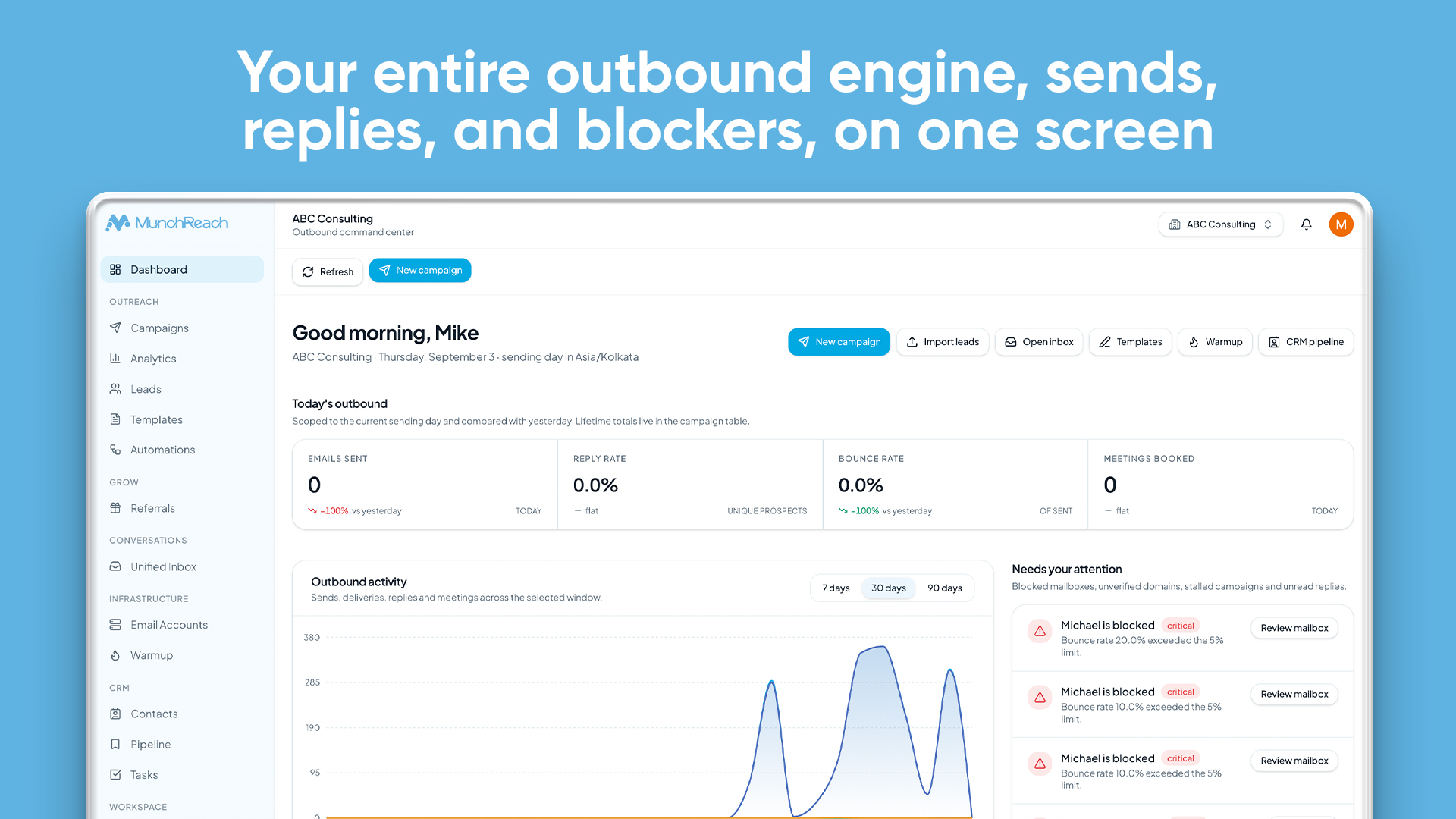
Your Next Customer Could Be One Email Away.
Find the right prospects, personalize every message, automate follow-ups, and manage replies, all from one simple outbound platform.
14-day free trial · No credit card required · Cancel anytime
Running Outbound Shouldn't Feel This Scattered
“I'm using too many tools to run outbound.”
“Personalizing every email takes forever.”
“Follow-ups are easy to forget.”
“Replies are scattered across different inboxes.”
“I can't clearly see which campaigns are actually working.”
“My outreach data lives in too many places.”
One workspace. One outbound workflow.
From First Import to Closed Deal
Every step of outbound runs in the same workspace, on the same data.
- 01Leads
- 02Campaigns
- 03AI Campaign Writer
- 04Follow-ups
- 05Sending
- 06Replies
- 07CRM
- 08Analytics
Bring Your Prospects Into One Workspace
Import the prospects you already have and keep them organized. Map CSV columns to lead fields, drop duplicates, and track every lead's status as it moves through your outreach.
- CSV import with field mapping
- Duplicate handling on import
- Lead lists and lead statuses
- Bulk actions across selected leads
Lead list
Import CSVBuild Outreach Campaigns Without The Busywork
Create multi-step sequences with delays between steps, then control exactly when and how much you send.
- Multi-step sequences and follow-ups
- Sending windows and sending days
- Daily sending limits
- Pause and resume any campaign
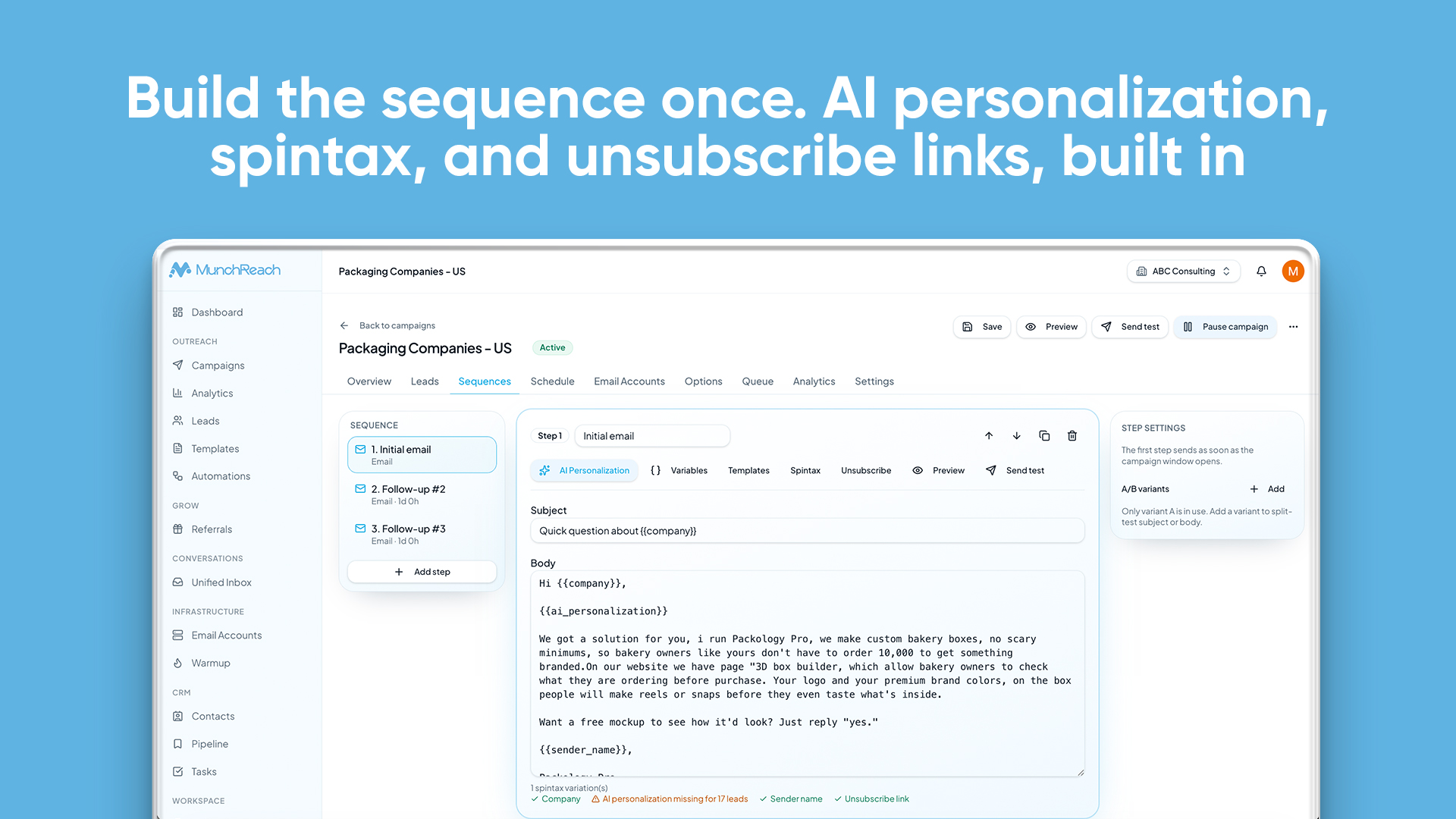
Make Every Email Feel Personal
Use lead variables like first name, company, and industry, and let the AI campaign writer draft openings you review before anything is sent. Connect your own OpenAI or Claude key.
- Lead variables in every step
- AI-drafted personalized copy
- OpenAI and Claude support
- You review before sending
“I came across your team and wanted to reach out.”
“Running growth at Northwind, I imagine outbound is still spread across a few mailboxes and a spreadsheet.”
Hi Marcus,
Running growth at Northwind, I imagine outbound is still spread across a few mailboxes and a spreadsheet.
We help teams run it from one place — worth a quick look?
Follow Up Automatically
Follow-up steps send on the delays you set and move each prospect forward automatically. When someone replies, their sequence stops.
- Multi-step follow-ups
- Custom delays between steps
- Stops when a prospect replies
- Automatic progression
{{first_name}}, quick question about {{company}}
Re: {{company}} — one more thought
Worth a 15-min look?
Closing the loop, {{first_name}}
Hi {{first_name}},
{{ai_personalization}}
We help teams like {{company}} run outbound without babysitting mailboxes. Worth a short look next week?
— Sam
Every Reply. One Inbox.
Replies from every connected mailbox arrive in one place, threaded with the full conversation and the lead's CRM context.
- Replies from all mailboxes in one view
- Reply classification
- Assignments and internal notes
- Conversation history with CRM context
- Sarah MitchellInterested
Thanks for reaching out — Thursday works…
- David ParkLead
Can you send over more details on…
- Emma RossiMeeting booked
Booked a slot for next week.
- James CarterOut of office
I'm out of the office until Monday…
- Lina HaddadNot interested
Not a fit right now, thanks.
Quick question about Northwind's outbound
Sarah Mitchell · via alex@yourdomain.com
Hi Sarah — noticed Northwind is growing the sales team. Worth a quick chat about how you book meetings?
Thanks for reaching out — this is timely. Thursday afternoon works for a call.
Sarah Mitchell
Head of Sales · Northwind
- Stage
- Replied
- Campaign
- Q3 Outreach
- Assigned
- Alex
Activity
- Replied · 2h ago
- Opened step 1
- Added to campaign
Protect Your Sending Reputation
Warmup builds sending activity gradually on your connected mailboxes and keeps an eye on mailbox health, so problems show up before they hurt your campaigns.
- Mailbox warmup
- Health monitoring and warmup status
- Sending activity tracking
- Deliverability warnings
| Mailbox | Health | Warmup | Today's volume | Ramp state | Current reason | Last activity |
|---|---|---|---|---|---|---|
| hello@yourcompany.com | Good | Warming | 14 / 24daily | Ramp up | Volume held steady | A few minutes ago |
| sales@northstar.io | Good | Active | 32 / 36daily | Stable | Health signals stable | 12 minutes ago |
| team@sampleco.com | Fair | Paused | 6 / 18daily | Hold | Needs attention | 1 hour ago |
hello@yourcompany.com
WarmingVolume held steady · A few minutes ago
sales@northstar.io
ActiveHealth signals stable · 12 minutes ago
team@sampleco.com
PausedNeeds attention · 1 hour ago
Turn Replies Into Opportunities
Contacts move through pipeline stages that stay in sync with your inbox, so every opportunity is linked to the conversation that created it.
- Contacts and pipeline stages
- Tasks and conversation history
- Stages synced with the inbox
- Opportunity tracking to Won or Lost
| Name | Company | Status | Owner | Tags | Last activity | Next action | |
|---|---|---|---|---|---|---|---|
MLMarcus Lee | Fieldstack Robotics | marcus@fieldstack.io | Replied | Sam | InterestedEnterprise | Reply received · 2h ago | Review positive reply |
ATAisha Toure | Northline Logistics | aisha@northline.co | Meeting Booked | Priya | Pricing | Meeting logged · Yesterday | Send follow-up notes |
DCDevon Cross | Orbit Analytics | devon@orbit.dev | Contacted | Sam | Step 2 | Email sent · 3d ago | Wait for sequence step 3 |
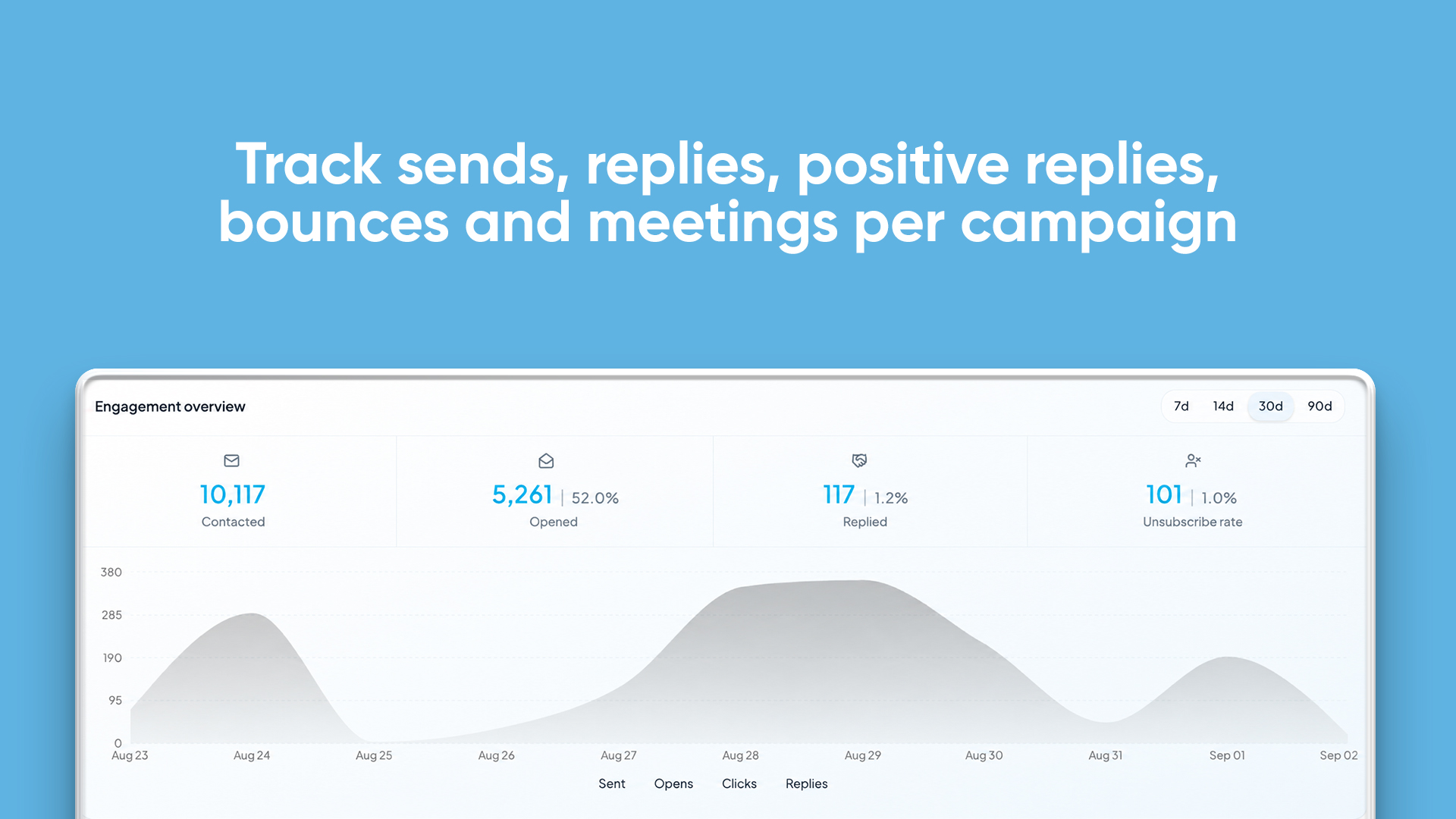
Know What's Actually Working
See sends, deliveries, opens, replies, positive replies, bounces, and meetings across campaigns and sequences, based on your real sending data.
- Sent, delivered, opens, and replies
- Positive replies and bounces
- Campaign and sequence performance
- Meeting tracking
One Workspace.
Everything connected.
Leads, campaigns, replies, and pipeline share the same workspace and the same data, so nothing has to be copied between tools.
Works With
Your Stack
Connect MunchReach with the tools your team already uses and keep your outbound workflow connected in one place.
Explore Integrations


Four Steps To Your First Replies
Create your workspace
Name it, invite your team, and connect your mailbox.
Import your prospects
Upload a CSV, map the fields, and skip duplicates.
Build your campaign
Write the first email, then add follow-up steps and a schedule.
Launch and manage replies
Emails send on schedule. Replies land in one inbox.
Built For Teams That Rely On Outbound
See The Product
The screens your team works in every day.
Frequently Asked Questions
Everything you need to know about MunchReach.
Ready To Turn Cold Email Into Conversations?
Bring your prospects, build your campaigns, and manage every conversation from one workspace.